


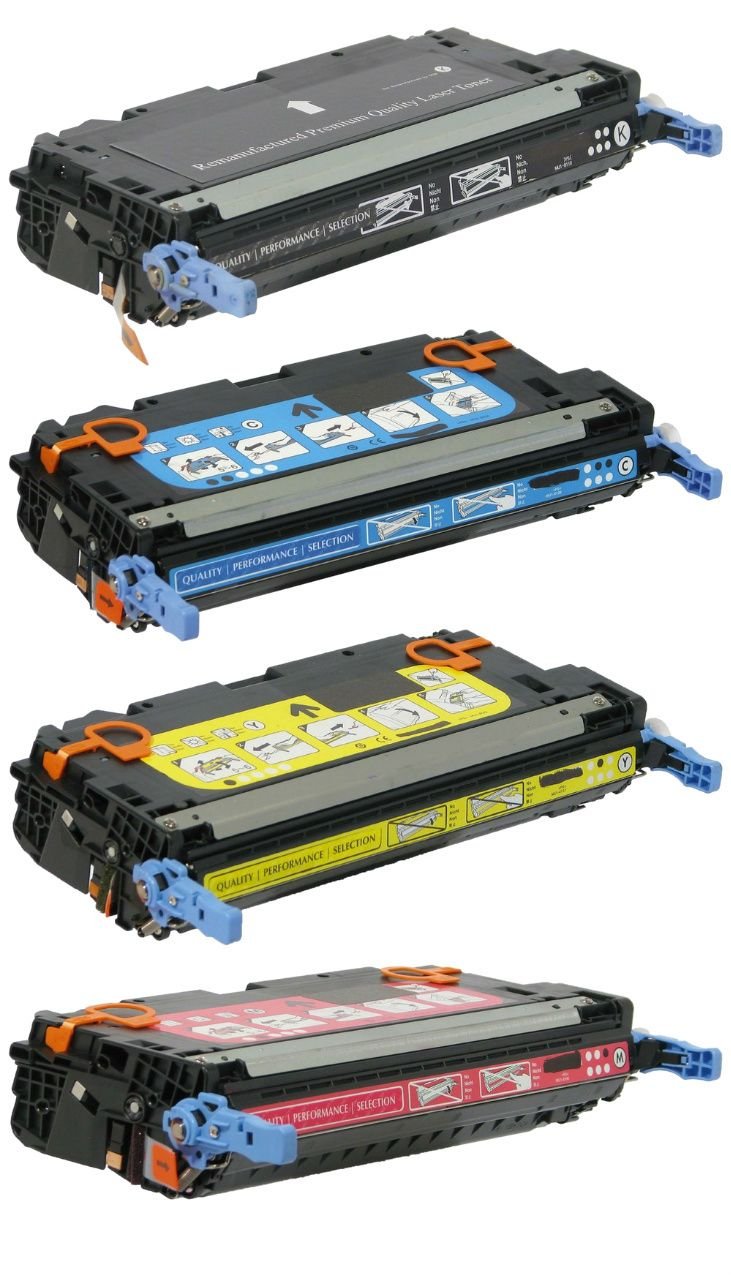
Printers rely on several internal components to produce clear documents and sharp images. Two of the most important parts are the drum unit and the imaging unit. Many users in Canada face print quality issues without knowing the real cause behind fading text, streaks, or uneven prints. Most of these problems connect directly to these two components.
Understanding how these parts work helps you choose the right replacement, reduce printing issues, and extend printer life. This content explains both components in simple language with real use scenarios from homes, offices, and print environments across Canada.
WHAT IS A DRUM UNIT
A drum unit is a light-sensitive cylinder inside a laser printer. It transfers toner powder onto paper using electrical charge patterns. When the printer sends a print command, the drum receives the image pattern and attracts toner in that pattern.
The drum works in a cycle:
- It receives an electrical charge
- It attracts toner particles
- It transfers toner to paper
- It resets for the next print job
In many printers used across Canada, the drum unit operates separately from the toner cartridge. This means users replace toner more often than the drum.
WHAT IS AN IMAGING UNIT
The imaging unit is a broader assembly. It often includes the drum along with other components such as cleaning blades, charge rollers, and waste toner collection systems.
Its role is to prepare, build, and transfer the full image onto paper. In many modern laser printers sold in Canada, the imaging unit handles multiple steps in one system, making printing more stable and consistent.
Think of it as the full system that supports the drum in producing clean output.
DIFFERENCE BETWEEN DRUM UNIT AND IMAGING UNIT
Many users confuse both parts. Here is a simple breakdown.
Drum unit:
• Focuses mainly on transferring toner to paper
• Works as a single core cylinder
• Requires replacement after long print cycles
Imaging unit:
• Includes drum plus supporting components
• Handles multiple stages of image formation
• Offers a more complete print processing system
In Canadian office environments, printers with imaging units often perform better under heavy workload because they maintain consistent output quality.
HOW THESE COMPONENTS WORK TOGETHER
Printing in laser printers follows a precise process:
- Printer receives digital file
- A laser beam creates an image pattern on the drum or imaging system
- Toner sticks to charged areas
- Paper passes through and collects toner
- Heat and pressure fuse toner permanently
In systems with imaging units, the process becomes smoother because multiple internal parts work in coordination.
WHY THEY MATTER FOR PRINT QUALITY IN CANADA
Across Canadian offices, schools, and home businesses, printing demands are high. Common issues include:
• Faded prints in winter conditions
• Smudges from overused drums
• Streaks from worn imaging components
• Uneven black output in bulk printing jobs
Cold climates and dry indoor heating can also affect printer performance indirectly by increasing static issues inside paper handling systems.
LIFESPAN OF DRUM AND IMAGING UNITS
Each printer model has a different life cycle, but general ranges are:
Drum unit:
• Around 10000 to 30000 pages, depending on usage
Imaging unit:
• Around 30000 to 60000 pages, depending on printer model
Heavy office printing in Canada reduces lifespan faster due to continuous operation and large batch printing.
SIGNS YOU NEED REPLACEMENT
Your printer shows clear warning signals when these components wear out.
Print issues:
• Vertical black lines on pages
• Faded or light text, even with new toner
• Repeated marks on every page
• Uneven print density
Printer behavior:
• Error messages on the display panel
• Frequent paper jams
• Noise during printing cycle
Ignoring these signs leads to poor print quality and higher long-term costs.
HOW TO IDENTIFY YOUR PRINTER PART TYPE IN CANADA
Different printer brands use different systems.
Common setups in Canada:
Separate toner and drum:
• Brother printers often use separate drum units
• Easier replacement cycles
Combined imaging system:
• HP and Canon often use imaging units
• Replace the full system together
Before buying replacement parts, always check printer model compatibility. Canadian users often make mistakes by mixing toner cartridges with drum systems.
REPLACEMENT PROCESS SIMPLIFIED
Replacing a drum or imaging unit is simple when done step by step.
Step one:
Turn off the printer and unplug the power
Step two:
Open the front cover and remove the toner cartridge
Step three:
Remove the old drum or imaging unit carefully
Step four:
Unpack the new unit and avoid touching the surface
Step five:
Insert a new unit and reinstall the toner
Step six:
Close the cover and run the test print
Most printers reset automatically after installation.
COMMON MISTAKES USERS IN CANADA MAKE
Many printing issues come from incorrect handling.
Frequent mistakes:
• Touching the drum surface with fingers
• Using incompatible toner with the imaging system
• Ignoring reset instructions after replacement
• Continuing to print with a damaged unit
These mistakes reduce print quality and damage internal components.
COST FACTORS IN CANADA
Prices vary depending on printer brand and type.
Typical cost range:
• Drum units: mid-range cost depending on model
• Imaging units: higher cost due to full system assembly
Factors affecting price:
• Printer brand compatibility
• Page yield capacity
• Original vs compatible parts
• Availability in Canadian supply chains
Businesses in Canada often reduce costs by choosing high-yield components for bulk printing environments.
TIPS TO EXTEND THE LIFE OF DRUM AND IMAGING UNITS
Simple habits improve performance and lifespan.
Practical tips:
• Use quality toner cartridges
• Keep the printer in a dust-free area
• Avoid overloading paper trays
• Run regular cleaning cycles
• Use the printer frequently instead of long idle periods
Canadian winter conditions make indoor dust and dryness more impactful, so regular cleaning helps maintain consistency.
ROLE OF TONER INK CANADA
Toner Ink Canada provides printer support solutions for drum units, imaging units, toner cartridges, and related supplies across Canadian regions.
Key support areas:
• Replacement drum systems for office printers
• Imaging unit supply for high-volume printing setups
• Compatible toner options for cost control
• Printer troubleshooting support for print defects
Many Canadian businesses rely on consistent supply chains to avoid downtime during busy printing periods.
REAL WORLD SCENARIO IN CANADA OFFICES
A small accounting office in Toronto prints thousands of pages monthly. After several months, print quality drops. Staff replace toner, but the issue remains. The real cause is a worn drum unit.
After replacement:
• Print clarity improves immediately
• Ink distribution becomes even
• Printing speed stabilizes
This example shows why understanding internal components saves time and cost.
MAINTENANCE CHECKLIST FOR USERS IN CANADA
Follow this simple routine:
Monthly:
• Check print quality
• Clean paper feed area
Quarterly:
• Inspect drum condition
• Run cleaning cycle
Yearly:
• Evaluate imaging system lifespan
• Replace worn components
This routine reduces unexpected breakdowns.
FAQS
WHAT IS THE MAIN DIFFERENCE BETWEEN DRUM AND IMAGING UNIT
Drum handles image transfer. The imaging unit includes a drum plus supporting components for full image processing.
HOW OFTEN SHOULD THE DRUM BE REPLACED
Most printers require replacement after 10000 to 30000 pages, depending on usage.
CAN I USE ANY TONER WITH MY DRUM UNIT
No. Always match toner with printer model compatibility to avoid damage and poor print output.
WHY ARE MY PRINTS STREAKY EVEN WITH NEW TONER
A worn drum or imaging unit often causes streaks even after toner replacement.
Are imaging units expensive in Canada
They cost more than drum units due to multiple integrated components.
HOW DO I KNOW MY PRINTER USES DRUM OR IMAGING SYSTEM
Check the printer manual or model specifications. Brother often uses separate drum systems, while HP and Canon often use imaging units.
SUMMARY AND NEXT STEP
Drum units and imaging units play a central role in print quality for homes and businesses across Canada. Understanding their function helps reduce printing issues, control cost, and improve output reliability.
Toner Ink Canada supports users with reliable replacement options and printer support solutions tailored for Canadian printing needs.

 English
 Arabic
 French
 Spanish
 Portuguese
 Deutsch
 Turkish
 Dutch
Dutch
 Italiano
 Romaian
 Portuguese (Brazil)
 Greek
Greek