


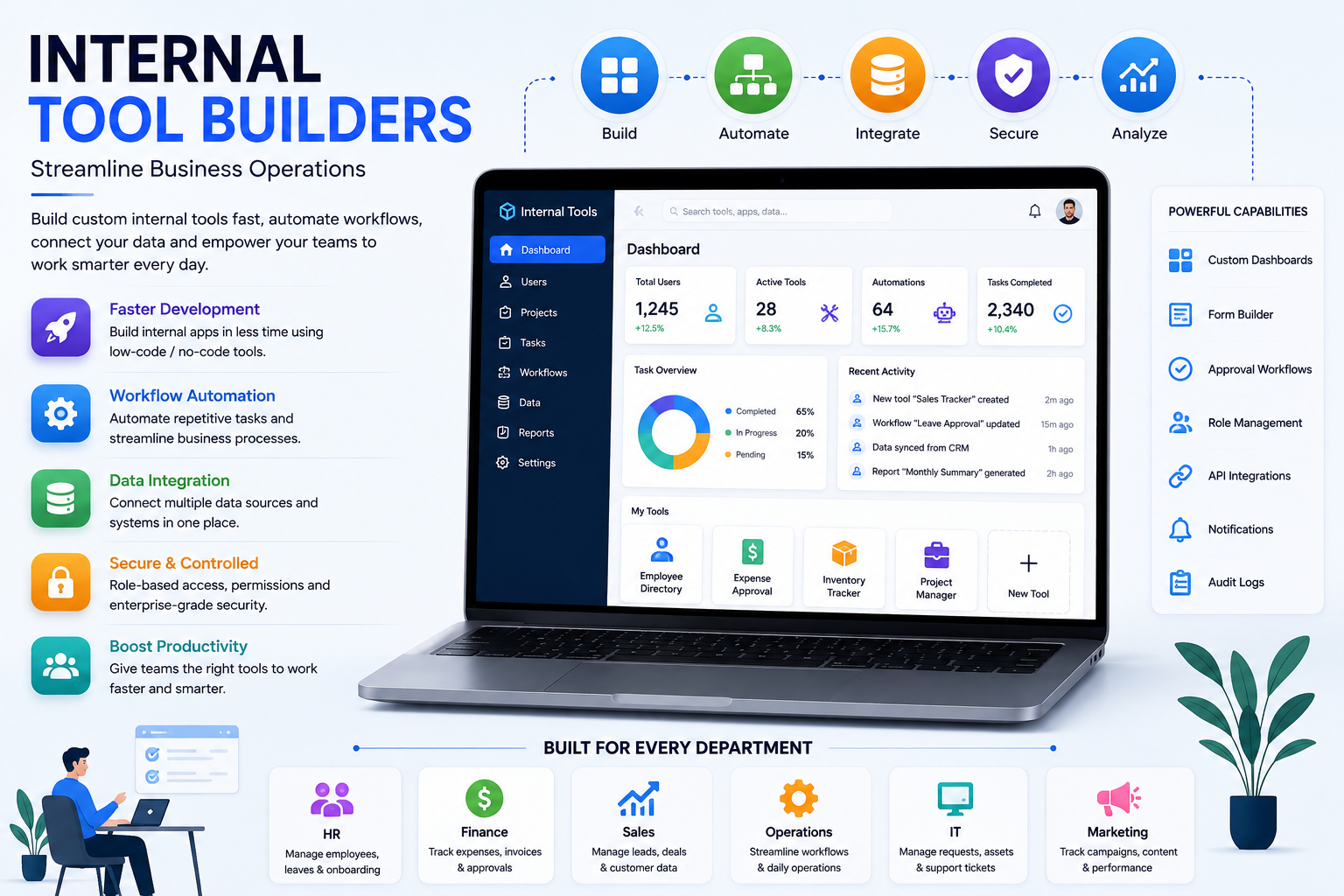
Businesses rely on digital tools to manage their daily activities, but standard software does not always provide the flexibility that every organization needs. Different departments often have their own workflows, data requirements, approval processes, and reporting needs.
Internal Tool Builders offer a practical way to create custom applications designed specifically for these internal requirements. They allow businesses to develop useful tools for employees without having to build every application completely from the ground up.
What Are Internal Tool Builders?
Internal Tool Builders are software platforms that help organizations create custom applications for internal use. These applications are usually designed to support employees, teams, and business operations rather than external customers.
Companies can use them to build dashboards, inventory systems, approval workflows, employee portals, project trackers, customer management tools, and reporting applications.
Many platforms provide visual development features, ready-made components, database connections, APIs, and automation capabilities. This makes it easier to create tools that match specific business processes.
Why Are Internal Tools Important?
Every business has processes that are unique to its operations. Employees may spend valuable time moving information between spreadsheets, emails, databases, and different software systems.
A custom internal tool can bring these activities into a centralized environment. This can reduce unnecessary manual work and make information easier to access.
For example, an organization can create an internal application where employees submit requests, managers approve them, and relevant teams automatically receive notifications.
Benefits of Internal Tool Builders
Faster Tool Development
Building software traditionally can involve extensive planning, coding, testing, and maintenance. Internal Tool Builders can speed up the process by providing pre-built components and visual development options.
Teams can create functional applications without developing every basic feature manually.
Improved Productivity
Employees can work more efficiently when they have tools designed around their actual responsibilities. Custom interfaces can remove unnecessary steps and make frequently used information easier to access.
Workflow Automation
Internal tools can automate repetitive business processes such as approvals, notifications, record updates, and task assignments.
Automation can help reduce manual effort and create more consistent workflows.
Better Data Management
Instead of keeping important information across multiple spreadsheets or disconnected systems, businesses can create centralized tools for managing their data.
This can make information easier to organize, update, and review.
Greater Customization
Standard software may include features that a business does not need while missing features that are important to its workflow. Internal Tool Builders allow organizations to create applications around their specific requirements.
Common Internal Tools Businesses Can Build
Internal Tool Builders can be used to create a wide range of applications.
Employee Management Tools
Companies can create applications for managing employee information, leave requests, onboarding processes, performance records, and internal communication.
Inventory Management Systems
Inventory tools can help businesses track products, stock levels, suppliers, orders, and warehouse activities from a centralized interface.
Sales Management Applications
Sales teams can use custom tools to manage leads, customer information, follow-ups, sales activities, and performance reports.
Approval Workflows
Businesses can automate approval processes for expenses, purchases, documents, leave requests, and other internal activities.
Reporting Dashboards
Custom dashboards can bring important business metrics together and display them through charts, tables, and performance indicators.
Key Features to Look For
Choosing the right Internal Tool Builder requires an understanding of the features a business actually needs.
Visual Application Builder
A visual interface can make it easier to design application screens, forms, tables, and dashboards without writing large amounts of code.
Database Connectivity
Internal applications often depend on business data. Database connectivity allows tools to retrieve, update, and manage information from existing data sources.
API Integrations
API support allows internal applications to communicate with other business software. This can help organizations create connected workflows instead of isolated systems.
Automation Features
Automation tools can trigger actions when specific events occur. For example, submitting a request could automatically create a task or notify a manager.
Access Control
Different employees may require different levels of access. Role-based permissions can help businesses control who can view or modify specific information.
Analytics and Reporting
Reporting features allow managers and teams to monitor operations and understand important business trends.
Internal Tool Builders for Different Departments
Different departments can benefit from customized internal applications.
Human Resources: Employee records, onboarding, leave management, and recruitment workflows.
Finance: Expense approvals, invoices, payment tracking, and financial reporting.
Sales: Lead management, customer tracking, sales pipelines, and performance dashboards.
Marketing: Campaign tracking, content management, customer data, and reporting.
Operations: Task management, inventory tracking, process monitoring, and workflow automation.
IT Teams: Support tickets, asset management, system requests, and internal service management.
Internal Tool Builders vs. Traditional Software Development
Traditional software development provides extensive control and customization, but it can require significant development resources and time.
Internal Tool Builders can simplify many common application development tasks by offering reusable components and configuration-based features.
For straightforward business applications, this approach can help organizations launch tools more quickly. However, highly specialized or technically complex applications may still require traditional development.
Businesses should choose the approach that best matches their application's complexity and long-term requirements.
How to Choose the Right Platform
Before selecting an Internal Tool Builder, businesses should identify the problems they want to solve.
Important factors to evaluate include:
- Ease of use
- Customization options
- Database support
- API integrations
- Workflow automation
- Security features
- User permissions
- Scalability
- Collaboration capabilities
- Pricing
- Technical support
It is also important to consider whether the platform can work with the software and data sources the organization already uses.
Security Considerations
Internal applications may contain important business information, customer records, employee data, or financial details. Security should therefore be considered from the beginning of the development process.
Businesses should look for features such as authentication, role-based access, permission management, data protection, and activity monitoring.
Proper access controls can help ensure that employees only see information appropriate for their responsibilities.
How Internal Tools Improve Efficiency
A well-designed internal application can simplify complex business processes.
Consider a company that handles purchase requests through emails and spreadsheets. Employees may submit requests manually, managers may respond through email, and finance teams may update separate records.
An internal tool can bring the entire process together. Employees can submit requests through a form, managers can approve them from a dashboard, and the system can automatically update records and notify the relevant department.
This creates a more organized and transparent workflow.
Role of Automation in Internal Tools
Automation is one of the most useful capabilities of modern internal applications. Repetitive tasks can be triggered automatically based on predefined conditions.
For example, when a new customer record is created, an internal system could automatically assign a task to a sales representative. Similarly, when an approval is completed, the system could update the related record and notify the next team.
These automated processes can reduce repetitive work and improve operational consistency.
Future of Internal Tool Development
Internal software development is becoming increasingly accessible through low-code, no-code, automation, and AI technologies.
Future Internal Tool Builders are likely to provide more intelligent features that can help teams create applications, analyze data, automate workflows, and improve decision-making.
AI-powered functionality may also allow businesses to add smart search, automated summaries, recommendations, and intelligent assistants to their internal applications.
Conclusion
Internal Tool Builders provide businesses with an efficient way to create custom applications for their employees and internal processes. They can help organizations automate repetitive activities, centralize information, improve productivity, and develop tools that match their unique workflows.
From HR and finance applications to sales dashboards and inventory systems, internal tools can support almost every area of a modern organization.
By selecting a platform with the right combination of customization, integrations, automation, security, and scalability, businesses can create practical digital solutions while reducing the complexity of traditional software development.

 English
 Arabic
 French
 Portuguese
 Deutsch
 Turkish
 Dutch
Dutch
 Italiano
 Russian
 Romaian
 Portuguese (Brazil)
 Greek
Greek